> ## Documentation Index
> Fetch the complete documentation index at: https://docs.uselooop.com/llms.txt
> Use this file to discover all available pages before exploring further.
# Cart List
> The cart list is a collection list of all the products user has added to their cart.
## Setup
1. Add a new div list inside the [default wrapper](/webflow/cart/default/wrapper) element. This will be the list of all the products user has added to their cart. We will keeep adding the products to this list as the user adds them to the cart.
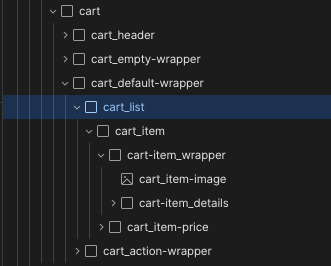 2. Add a div inside the list div we just created. This second div will serve as template for each cart item.
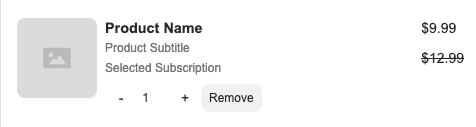 3. Add following attributes to the second div.
```html theme={null}
looopCartItem=""
```
3. Develop the [cart item ](/webflow/cart/default/cart-item)by adding quantity input, remove button, and the variant image.
3. Add following attributes to the second div.
```html theme={null}
looopCartItem=""
```
3. Develop the [cart item ](/webflow/cart/default/cart-item)by adding quantity input, remove button, and the variant image.